
Splash Pass is required to access the pool for British Swim School lessons at 24 Hour Fitness locations. Your Splash Pass is available through the British Swim School app on scheduled lesson and makeup days.
Please note: You must have the British Swim School app to access your Splash Pass.
Download the British Swim School App Now
How to Access Your Splash Pass in the App
On the day of your scheduled lesson or makeup lesson, a Splash Pass icon will appear in the top-right corner of the app. Tap the icon to open your Splash Pass, then show it to the 24 Hour Fitness team member at the front desk for entry.
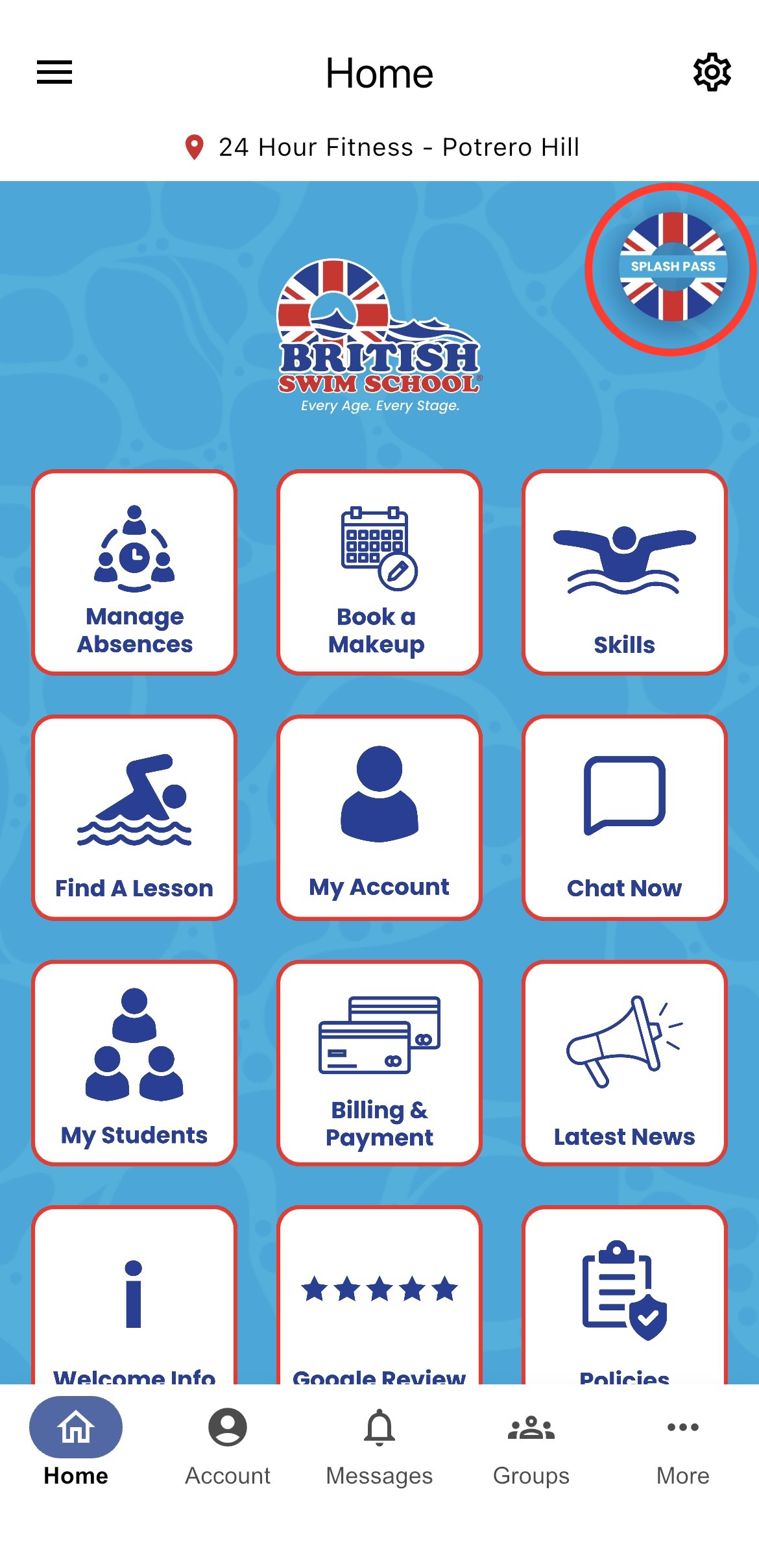
If Your Splash Pass Does Not Automatically Appear:
1. Tap 'More' in the bottom-right corner of the app.
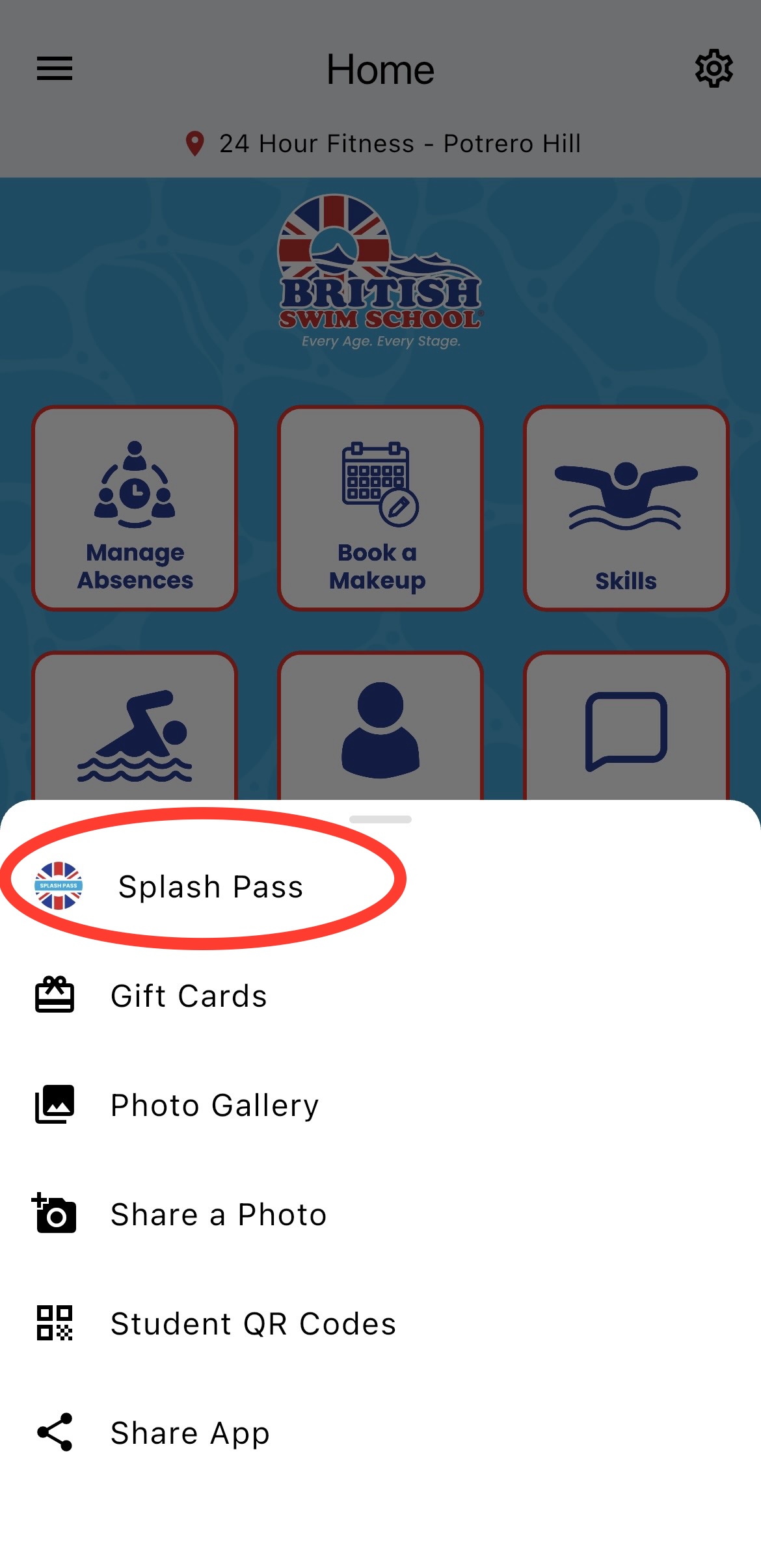
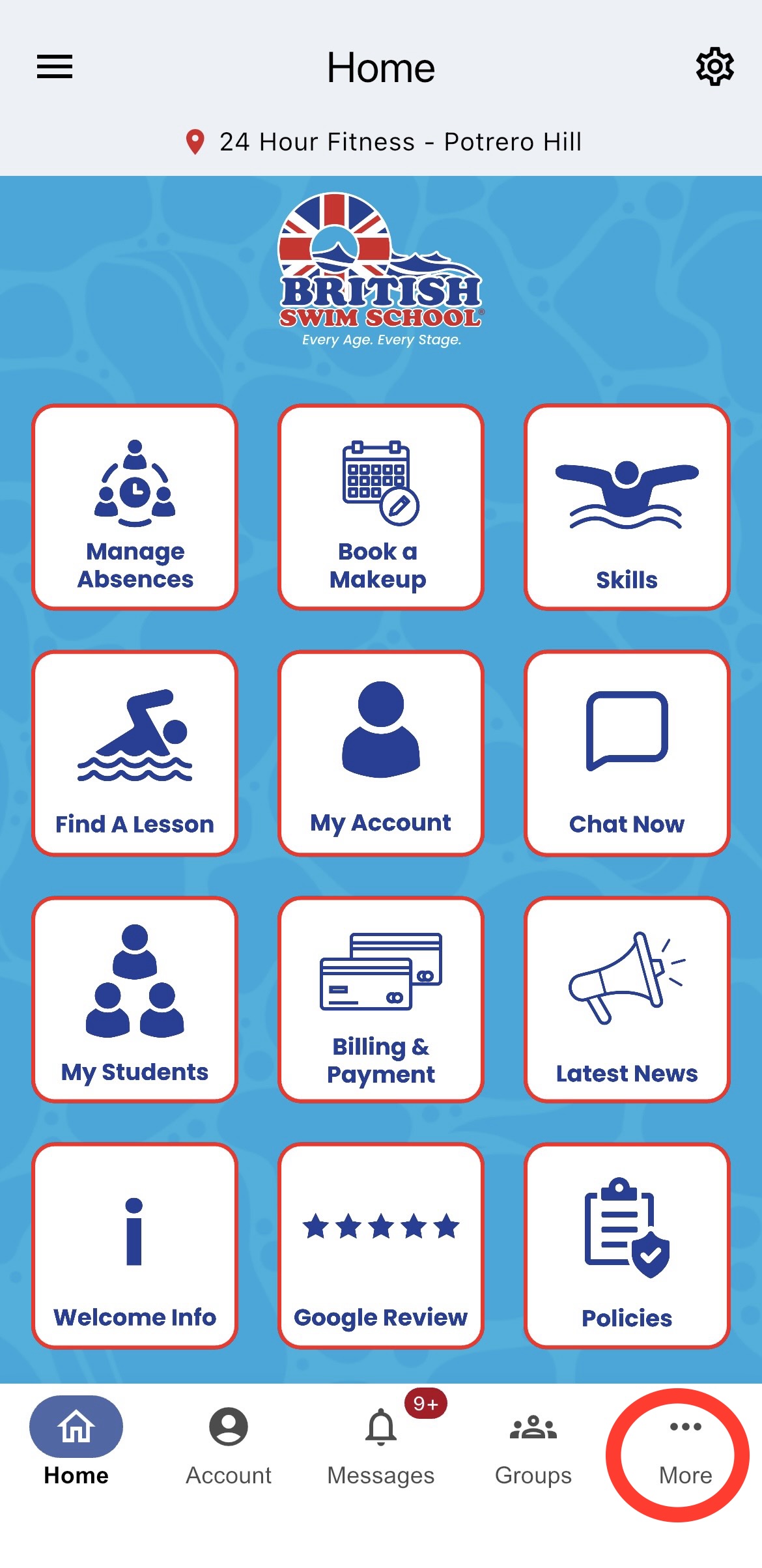 2. Then tap 'Splash Pass'.
3. Show your Splash Pass to the 24 Hour Fitness team member at the front desk for entry.
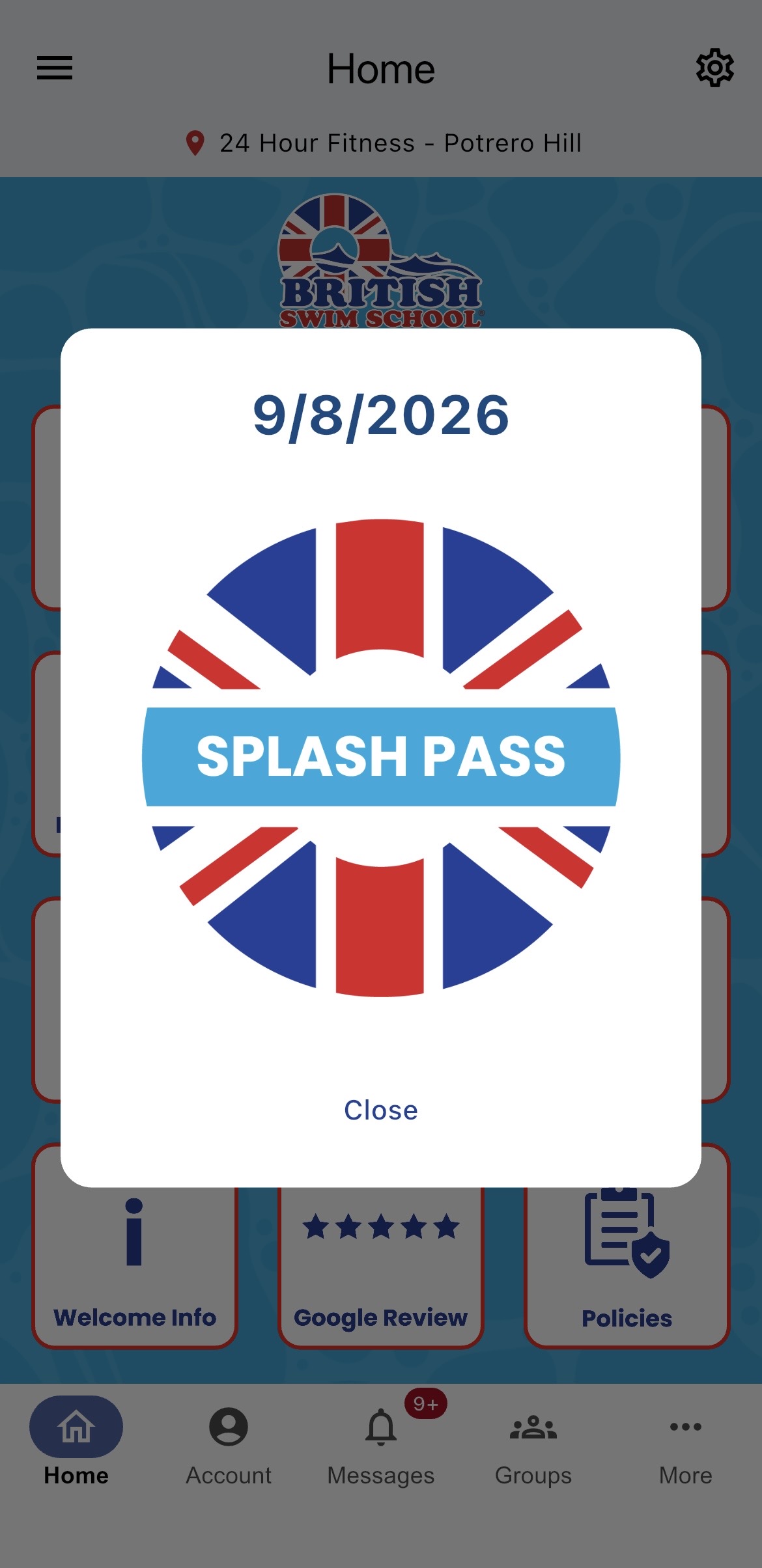
IMPORTANT: Splash Pass is only available on days when you have a scheduled swim lesson or scheduled makeup lesson.
Need assistance? Chat with us through the British Swim School app or call/text 650-777-5544 or 707-200-2889.